Build → install → launch
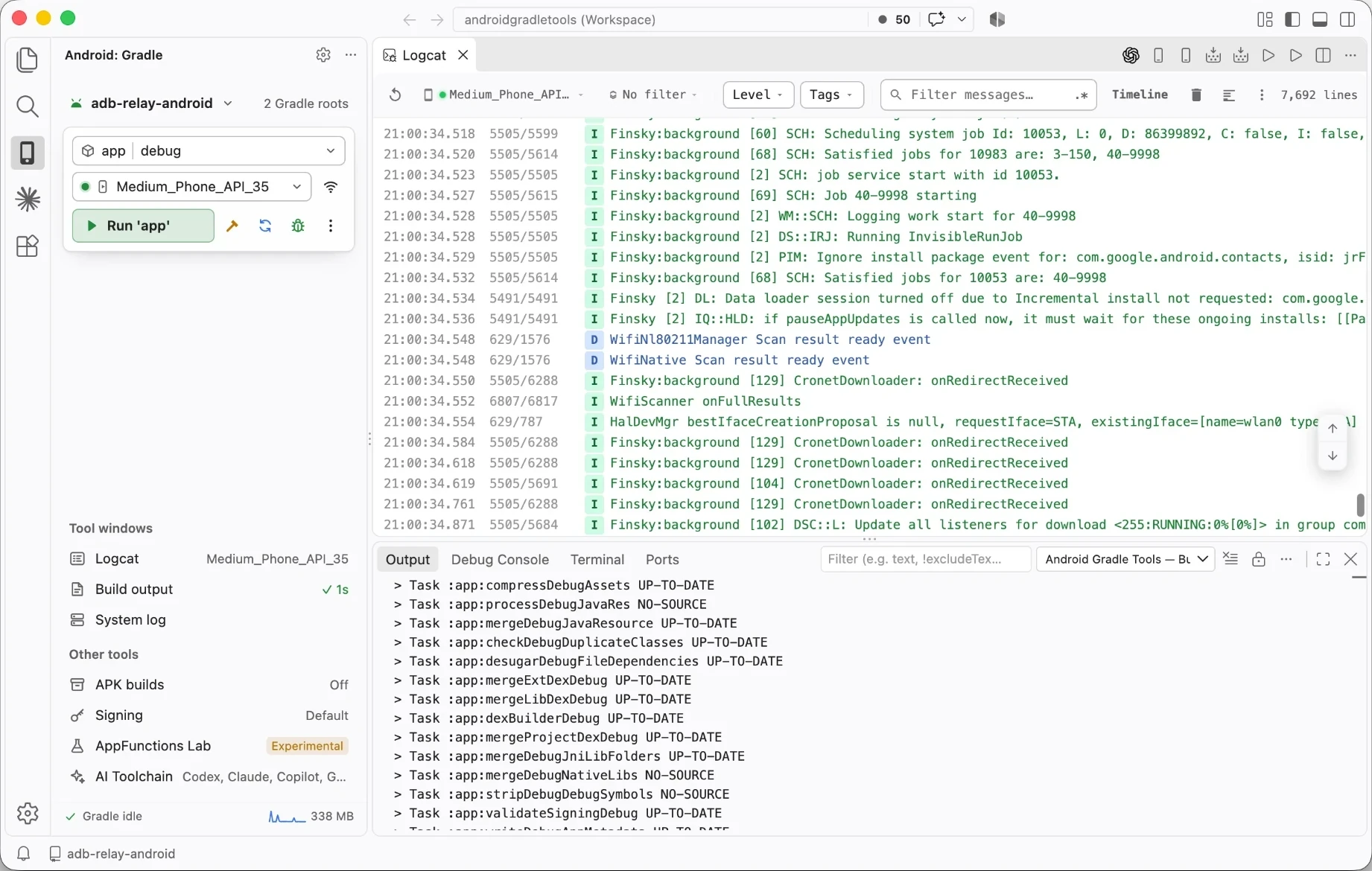
One step builds, installs and launches the detected applicationId. Cold AVD + Install assembles while an offline emulator boots, then installs the moment it's ready.
Gradle, ADB, Logcat and AI agent tools in one side panel for VS Code and Cursor. Your Kotlin, your build.gradle.kts, your editor.
Why
Compilers are fast. What slows you down is the wrong working directory, figuring out which device is attached, and switching away from your code to install the app.
$ cd ~/code/shop && ./gradlew :app:assembleDemoDebug
BUILD SUCCESSFUL in 41s
$ adb devices
emulator-5554   device
R5CT20ABCDE     device
$ adb install -r app/build/outputs/apk/demo/debug/app-demo-debug.apk
adb: more than one device/emulator
$ adb -s emulator-5554 install -r app/build/…/app-demo-debug.apk
$ adb -s emulator-5554 shell am start -n com.example.shop/.MainActivity
$ adb -s emulator-5554 logcat | grep -i shop
Root, module, variant and device stay selected between runs. Build again with one click, or press ⌃R with the Studio keymap.
Features
Controls for Gradle, ADB and Logcat sit next to your code. Use the standard SDK tools through a panel that shows each step of your build.
One step builds, installs and launches the detected applicationId. Cold AVD + Install assembles while an offline emulator boots, then installs the moment it's ready.
Live device and emulator picker that re-selects as devices come and go. Pair over Wi‑Fi, or reach a remote phone through an open-source relay.
A Preview on device CodeLens above each @Preview installs the debug build, opens the composable on the selected device and shows a screenshot beside the editor.
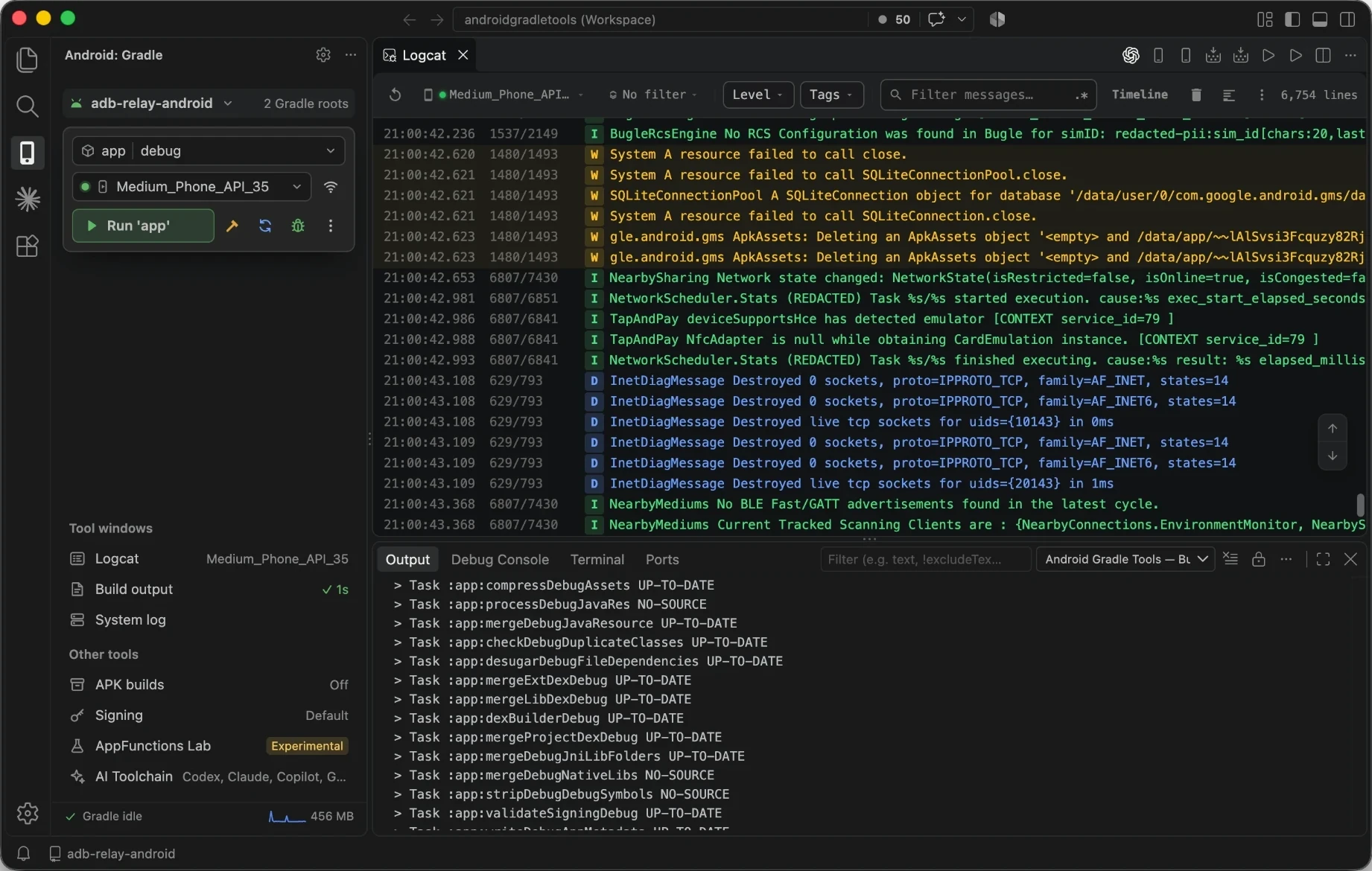
Filter by level, tag, package, crash, text or regex, even with no project open. Prefix a tag with - to mute it, save presets, export logs, and jump from a stack trace to the line.
Sync reads modules and build variants from Gradle automatically the first time a project opens. Flavors get real variants, not a guess.
Every successful build is kept. Reinstall, roll back, compare or share an older APK in seconds.
Attach JDWP to a running Java or Kotlin process over adb port forwarding. VS Code's debug toolbar does the rest.
Pick or generate a keystore, keep passwords in SecretStorage, and preview the Gradle diff before it's written.
An isolated GRADLE_USER_HOME keeps editor builds away from Studio's daemons. Idle ones stop on a timer.
Turn on the optional Android Studio keymap and your fingers already know the way.
AI agents
Share your Android context with Codex, Claude, Copilot, Gemini and Cursor. Collect it locally, review it, and choose when to share.
Check the official Android CLI and its Google-maintained skills. Link four bundled skills to each agent you use: screen inspector, build triage, Logcat debugger and device lab.
One command gathers redacted diagnostics, focused build errors, Logcat, a device screenshot and UI layout into context.md. It never uploads or calls a model.
Inspect AppFunctions readiness and registered schemas on the selected device without executing any functions.
| Skill | Codex | Claude | Copilot | Gemini | Cursor |
|---|---|---|---|---|---|
| android-build-triage | check | check | check | check | |
| android-logcat-debugger | check | check | check | ||
| android-screen-inspector | check | check | check | ||
| android-device-lab | check | check | check |
Opt-in, local and token-protected. Agents queue in the same Gradle lane as your own builds instead of starting their own.
# Android: Connect AI Agent (MCP)…  →  127.0.0.1:47831
android_state    root · module · variant · selected device
android_check    compile changed modules → structured errors
android_logcat   app logs since last launch, crashes first
android_run      build → install → launch   # device actions opt-in
android_preview  Compose @Preview on device # device actions opt-in
Quick start
From the Visual Studio Marketplace, or straight from your terminal.
Any standard Android project with a Gradle wrapper. Sync finds modules and variants by itself the first time.
Choose a phone or emulator, then ▶ Run 'app'. Logcat is one click away.
Android Studio?
Android Gradle Tools isn't a Studio replacement. It covers the daily write → build → run → read-the-logs loop, so you reach for the full IDE only when you need its specialist tools.
For everyday development in the editor where your code, extensions and AI setup already live.
Open it when the job needs the specialist tools of a dedicated Android IDE.
Run both side by side. Extension builds use their own GRADLE_USER_HOME, so they never fight Studio's daemons. The optional Studio keymap keeps ⌃R and ⌘F9 where your fingers expect.
Changelog
@Preview renders it on your phone and shows a screenshot beside the editor.JAVA_HOME.demoDebug, on first open.FAQ
Yes. Open a standard Android Gradle project, pick a Gradle root, module, build variant and device, then build, install or launch the app from the Android panel. Android Studio stays useful for profilers and design tooling, but it isn't required for the routine Gradle-to-device loop.
Run Android: Logcat or open Logcat from the Android panel, even with no Gradle project open. Filter by package, tag, level, crashes, stack traces, text or regex; prefix a tag with - to exclude it, then export the filtered output.
Yes. The device picker discovers your Android Virtual Devices and can start one before installing. Cold AVD + Install builds while the emulator boots, then installs once it's ready.
Yes. The optional AI Toolchain manages official Android CLI skills and bundled Android skills. Android: Create Agent Context Bundle collects redacted diagnostics, build errors, Logcat, a device screenshot and UI evidence locally, for you to review before sharing.
No. Bundled skills and context bundles stay on your machine. Crash reports open as a sanitized payload in your browser and are sent only if you press Submit. You can also turn crash reports off.
Free, open source, and about a minute to set up.